
From data to action: the power of n8n and BigQuery for marketing automation


As marketers, we are surrounded by data. It pours in from Google Analytics, our advertising platforms, our CRM, and a dozen other sources. The modern solution is to centralize it all in a data warehouse like Google BigQuery. This gives you a single source of truth, a complete historical record of everything your marketing has ever done.
But there's a problem. For many, that data just sits there. It fills up beautiful dashboards in Looker Studio, which are great for telling you what happened. But this doesn't automatically do anything about it today.
This is where true automation comes in. By connecting n8n and BigQuery, you create an action layer on top of your data.
You can move from passively observing your metrics to actively using them to trigger workflows, build reports, and even power intelligent AI agents.
Why connect your marketing data warehouse to an automation tool?
1 - Fuelling agents with your central marketing brain
An agent without specific, relevant data is like a doctor prescribing treatment without a patient history. It lacks context.
The solution is to connect your central marketing brain to your automation workflows.
N8n then acts as the nervous system on top of your data. This transforms your agents from a generic tool into a true expert on your business, capable of handling prompts like: "Given the performance of my campaigns from the last 14 days, what is the single most important action I should take?"
2 - Take automated actions based on your data
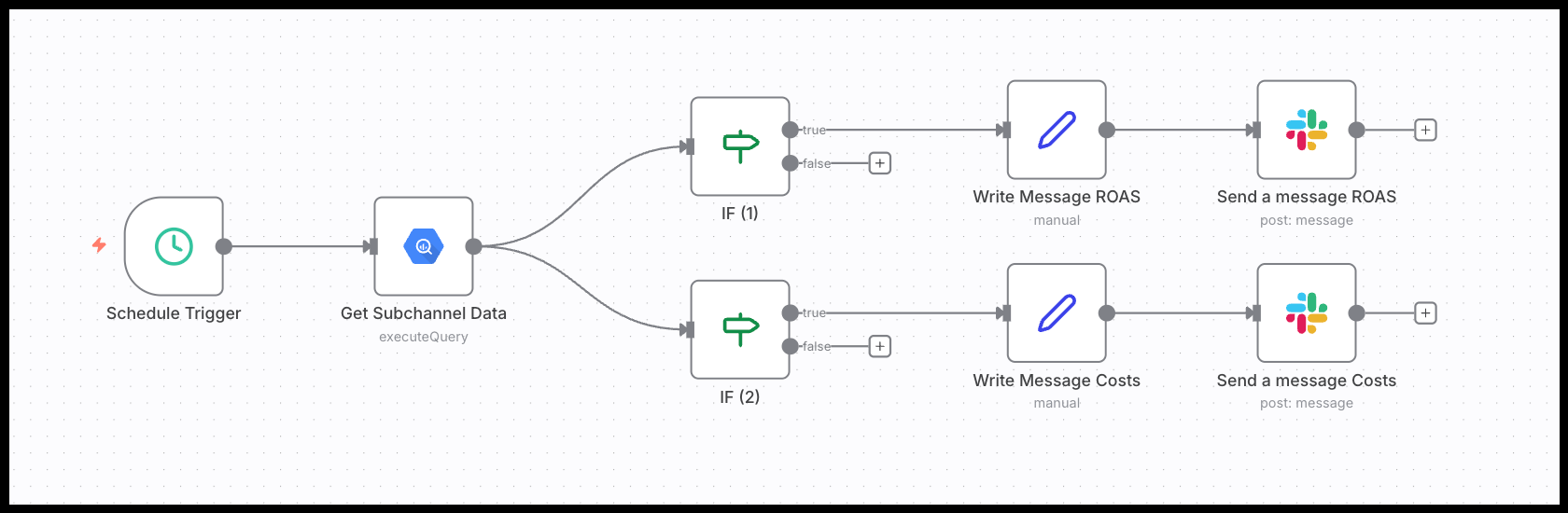
Dashboards are for visualization. Automation is for action. A dashboard is great at showing you what happened. An automated system can be designed to act independently based on specific data insights.
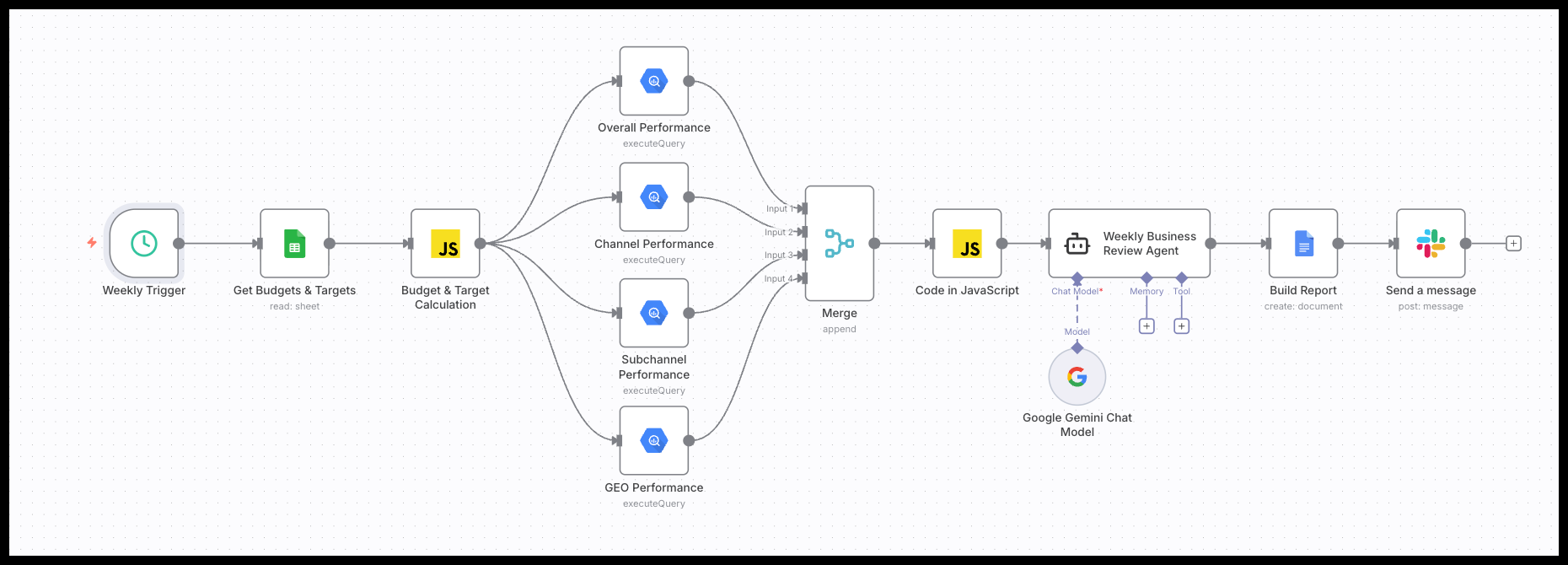
For example, instead of your team spending hours every Monday morning manually pulling data and assembling a weekly performance report, you can build an AI agent connected to BigQuery. This agent runs as soon as last week's data is complete, automatically generating a full report that details performance metrics, identifies anomalies, and provides actionable recommendations and insights. That report is then sent to your team's Slack channel, ready for the week to begin.
3 - Enriching your data warehouse with AI insights
The real power comes from creating a feedback loop where n8n not only reads your data but actively enhances it with new insights. This transforms BigQuery from a passive archive into a dynamic, intelligent asset.
Let's consider a common marketing scenario. Your warehouse contains thousands of raw search terms from Google Ads and Google Search Console. They tell you what users searched for, but not the intent behind it.
Here’s how you can build an n8n workflow to solve this:
- Query new terms: The workflow starts by querying your BigQuery database for any search terms that have not yet been categorized.
- Classify with an AI agent: Each term is then passed to an AI model. The prompt instructs the AI to classify the term based on your specific business logic, such as user intent ("informational," "transactional," "branded") or product category.
- Write enrichments back to BigQuery: The workflow takes the AI's output and writes this classifications into a new BigQuery dataset.
With this enriched data, your analysis can go much deeper. You can now build reports in Looker Studio that show you which type of search intent drives the most conversions.
More importantly though, you can take immediate action. The same workflow could be expanded to identify low-intent or irrelevant terms and automatically add them as negative keywords in Google Ads via the API. This closes the loop, turning an insight directly into an action that impacts your channel performance.
The data you can use is more than just numbers
This shows that you can use BigQuery for more than just metrics like clicks and conversions. It becomes a powerful tool for storing and accessing qualitative data.
Any data you can load into BigQuery is fair game for n8n to use. This includes:
- Quantitative Data: Performance metrics like cost, impressions, conversion rates, pLTV, and Return On Ad Spend (ROAS).
- Qualitative Data: The actual search terms from your Google Ads campaigns, ad copy variations, landing page URLs, blog post titles, or even customer feedback snippets from survey tools.
Two powerful methods for querying BigQuery with n8n
When you use n8n to get data from BigQuery, you have two distinct strategies. The one you choose depends entirely on your goal: do you need consistency and accuracy, or discovery and flexibility?
Method 1: Fixed SQL queries for predictable reporting
This is the safest and most straightforward approach. It involves writing and testing a specific SQL query yourself and embedding it directly into your workflow. The AI agent's job isn't to figure out how to get the data, but only to interpret the data it receives.
- Core principle: You use this for recurring reports where the data structure is consistent. Think of weekly channel performance summaries, monthly campaign breakdowns, or daily lead reports. The questions are always the same, so the query should be too. This separates the stable task of data collection from the more dynamic task of data analysis.
- Use case example: An n8n workflow runs every Monday morning. It executes a saved SQL query to pull the previous week's campaign performance. The AI agent then receives this clean, predictable data set, analyzes it for trends, and writes a summary report posted to Slack. The process is reliable and easy to debug.
Method 2: The AI Analyst Agent for flexible discovery
This is a more dynamic method where you empower the AI agent to write its own SQL queries based on natural language questions. This turns your workflow into an interactive "analyst agent."
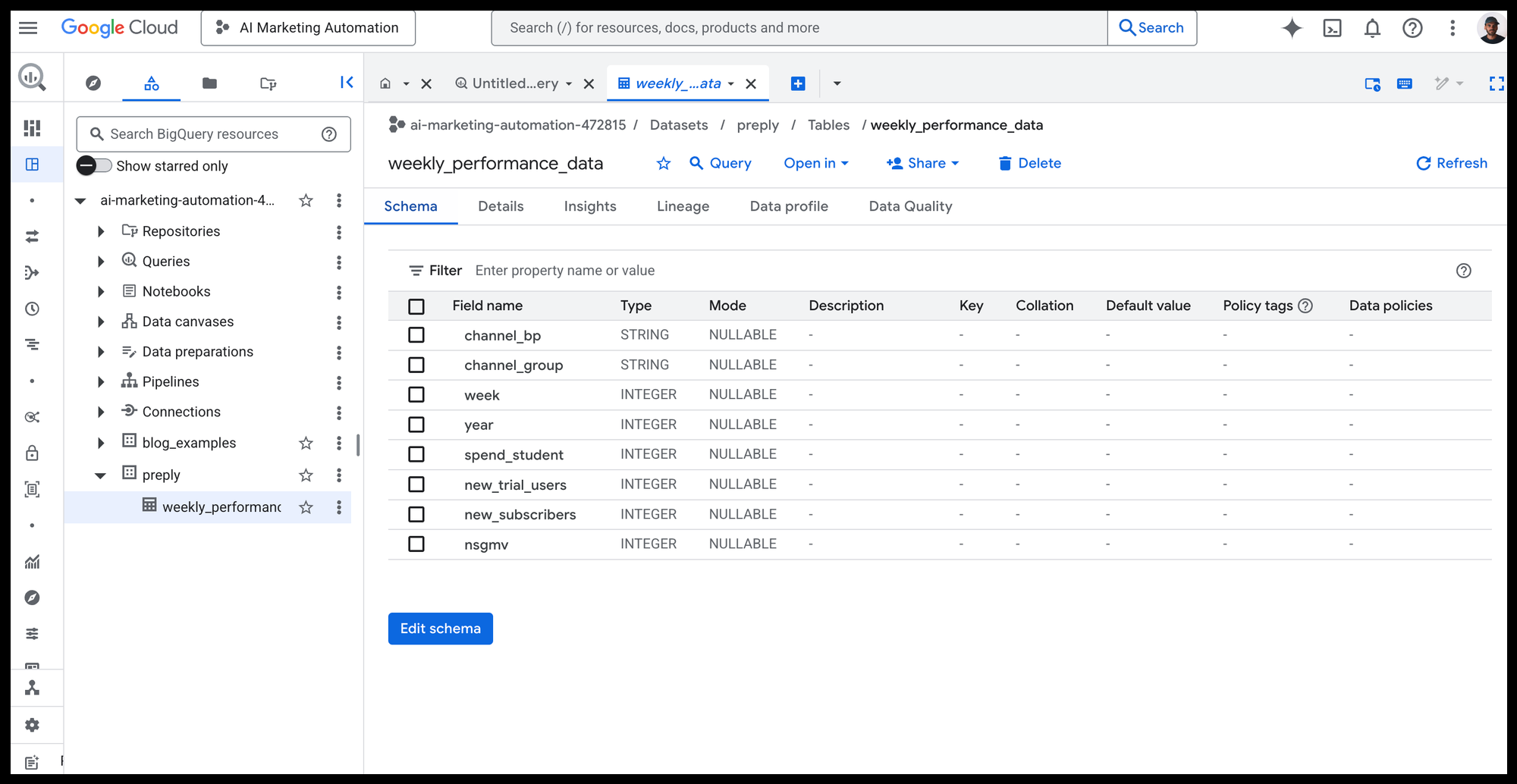
- Core principle: You use this for exploratory analysis and to answer novel, ad-hoc questions. Instead of predictable reports, you need an assistant that can build custom queries on the fly. This requires giving the AI a map of your database (BigQuery table schema), but also definitions of calculated metrics (e.g. CRs, CPCs, CAC, pROAS) so it can write accurate SQL queries for you.
- How it works in practice: A marketing manager asks a question in a chat interface, like, "What were our top 5 landing pages for organic traffic from the US last month?" The n8n agent receives the question, translates it into a new SQL query, runs it against BigQuery, and returns a clear answer. This is perfect for interactive tools where users need to ask different questions each time.
What's next in this series?
Now you understand the 'why' and the 'what' behind connecting n8n and BigQuery. You know the strategic value of moving beyond simple dashboards and have a clear picture of the two main ways to get it done.
The next step is the 'how'. In our following articles, we will get practical.
- First, read the step-by-step tutorial showing you exactly how to set up the technical connection between n8n and BigQuery, including handling your credentials securely.
- After that, we will provide two complete n8n workflow templates that you can install and use immediately: one for an automated Reporting Agent and another for a powerful AI Analyst Agent.